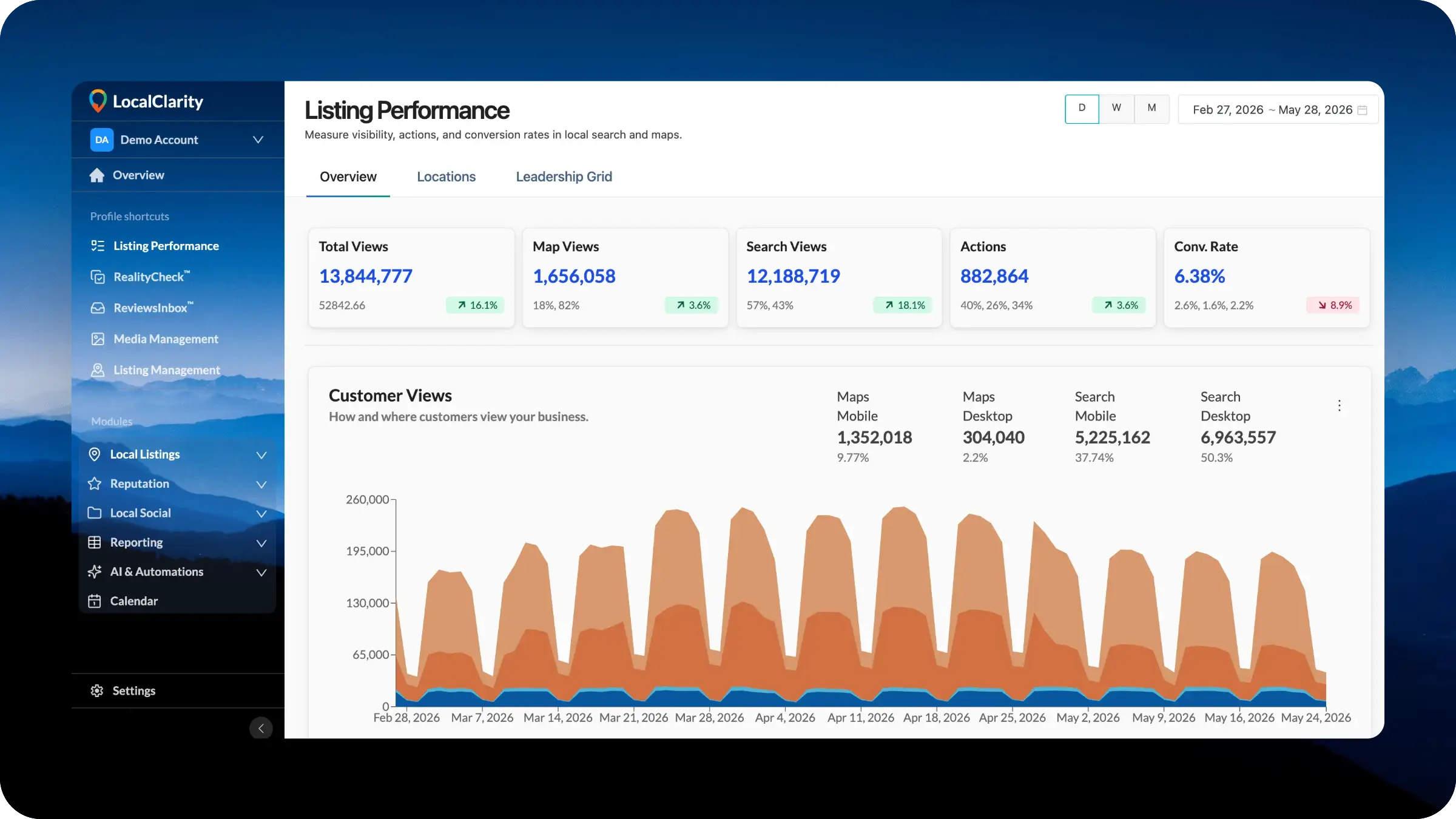
LocalClarity's platform navigation has been rebuilt around six core modules covering every corner of local marketing work. A new Profile Shortcuts section puts high-frequency tools within immediate reach, and each user can now hide and reorder items to shape the interface around their own daily workflow.
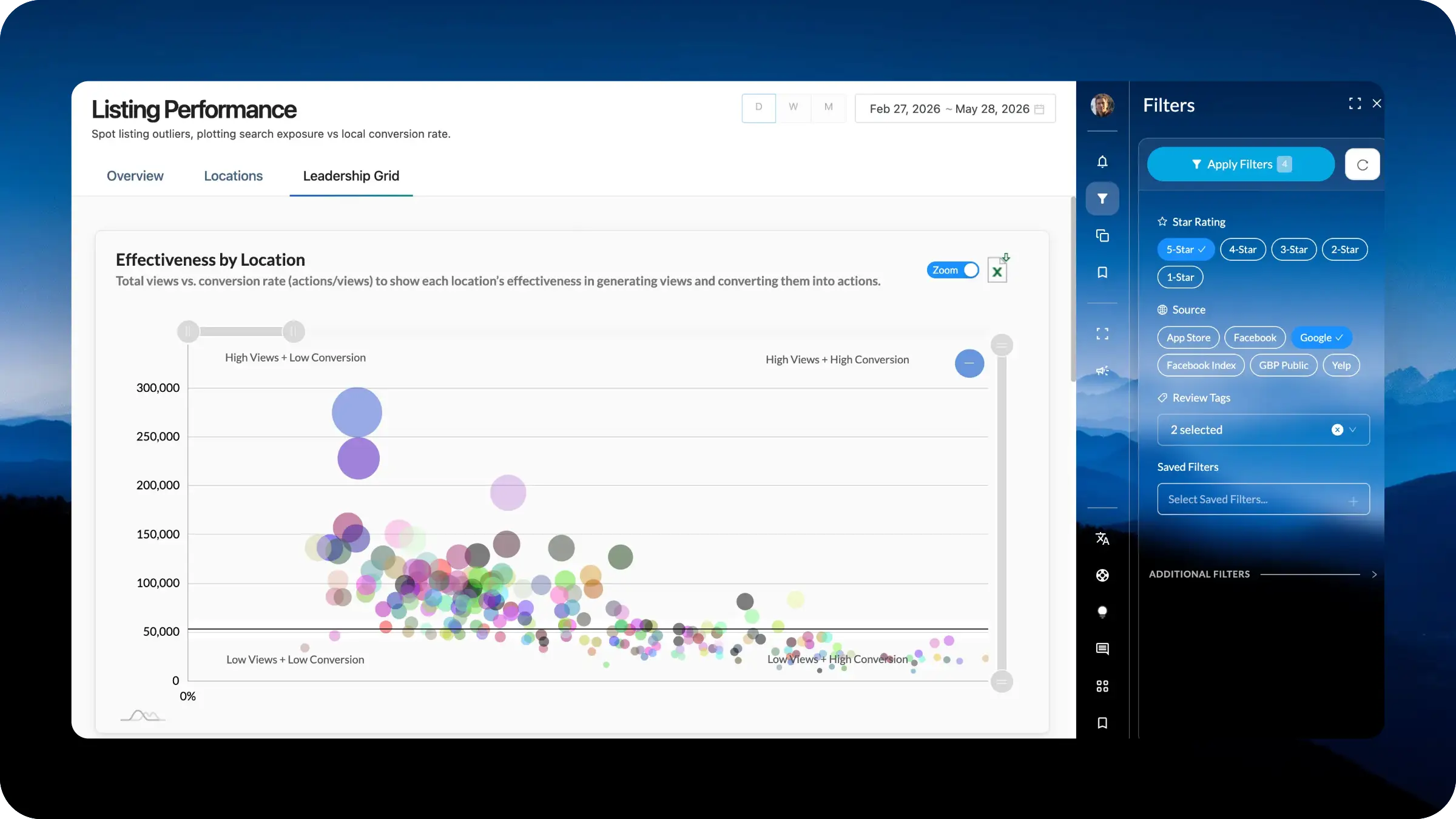
A new right-hand navigation introducing to all clients a unified command surface that spans every module in the platform. Filters, saved views, chat, AI tools, and urgent notifications now live in one consistent location. Presentation, order, and priority of controls are configurable per module at the Profile level, establishing the home for a significant run of upcoming releases.
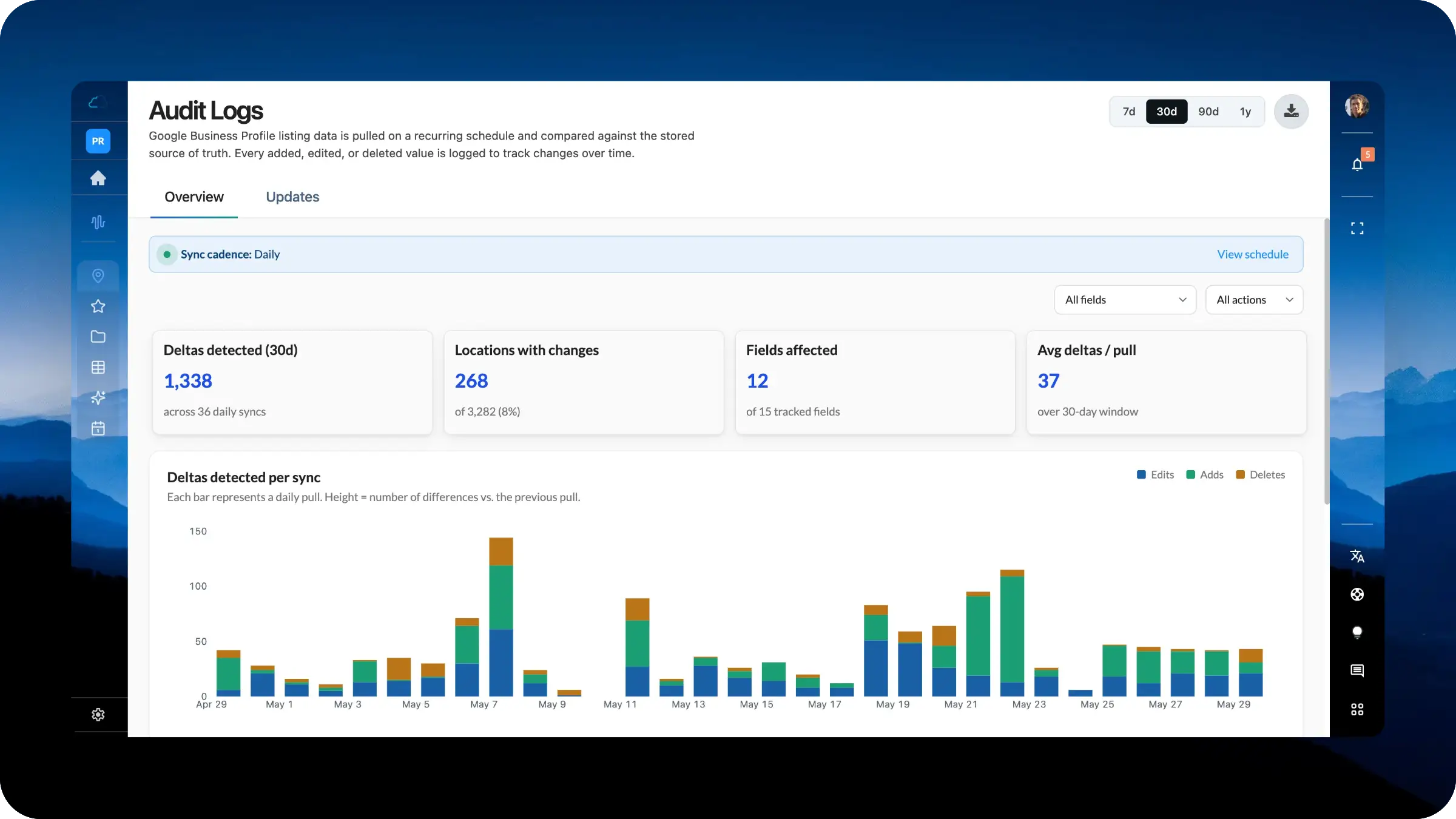
Audit Logs now turns listing change history into a true reporting workspace. Instead of reviewing one sync at a time, your team can analyze patterns across the full portfolio, see which fields changed most often, filter by action type, and search every detected update. The upgraded view makes it easier to spot listing drift, investigate unauthorized changes, and understand how your location data is evolving over time.
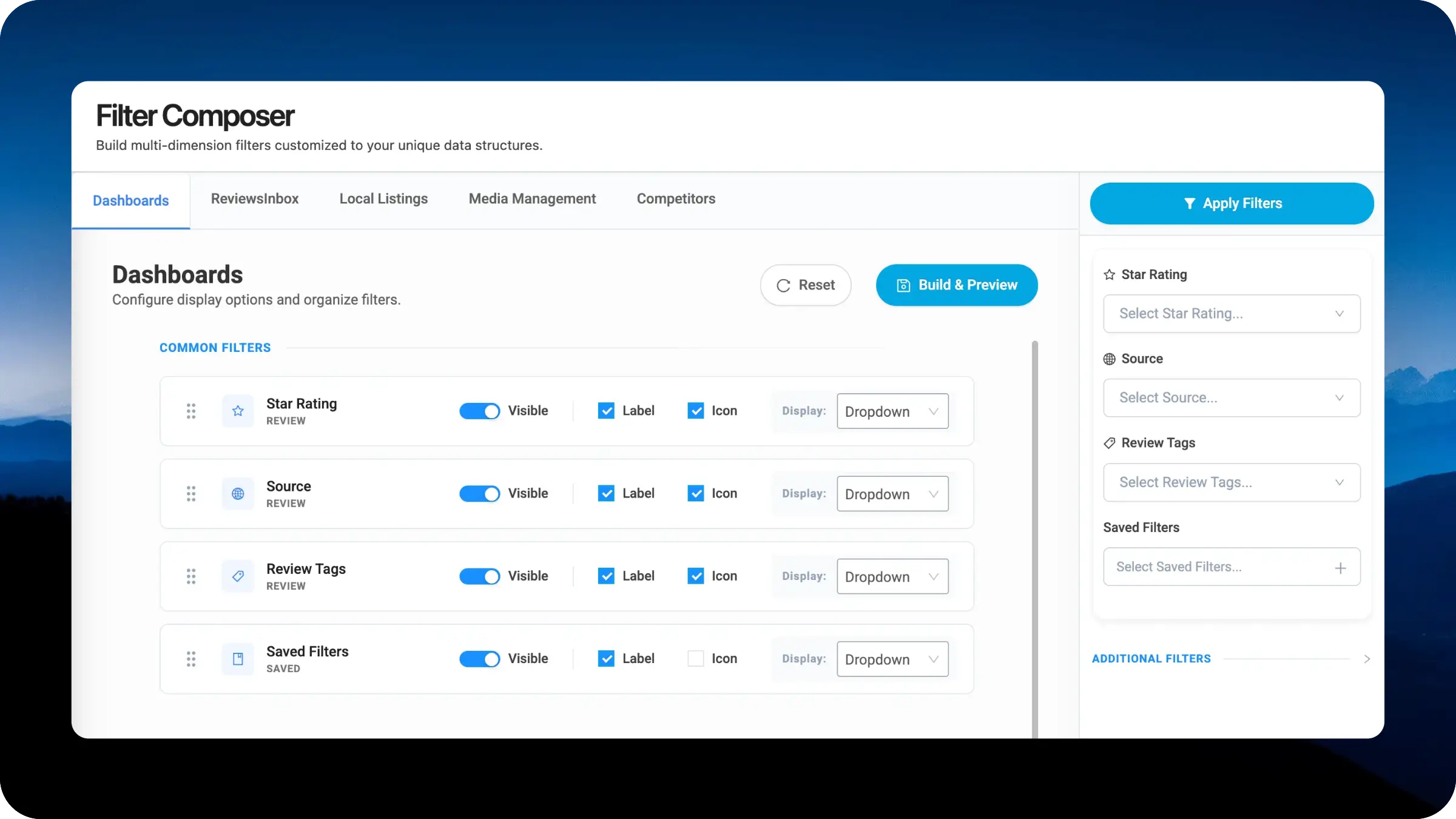
The new Filter Composer gives you direct control over how the new right-side filter navigation behaves across LocalClarity modules. Businesses can rearrange the filter priority, toggle individual options on or off, and choose between badge pills or dropdowns to match the size of each option set. Configurations save per module, so Dashboards, ReviewsInbox, Local Listings, Media Management, and Competitors can each be tuned independently to how your team actually works.
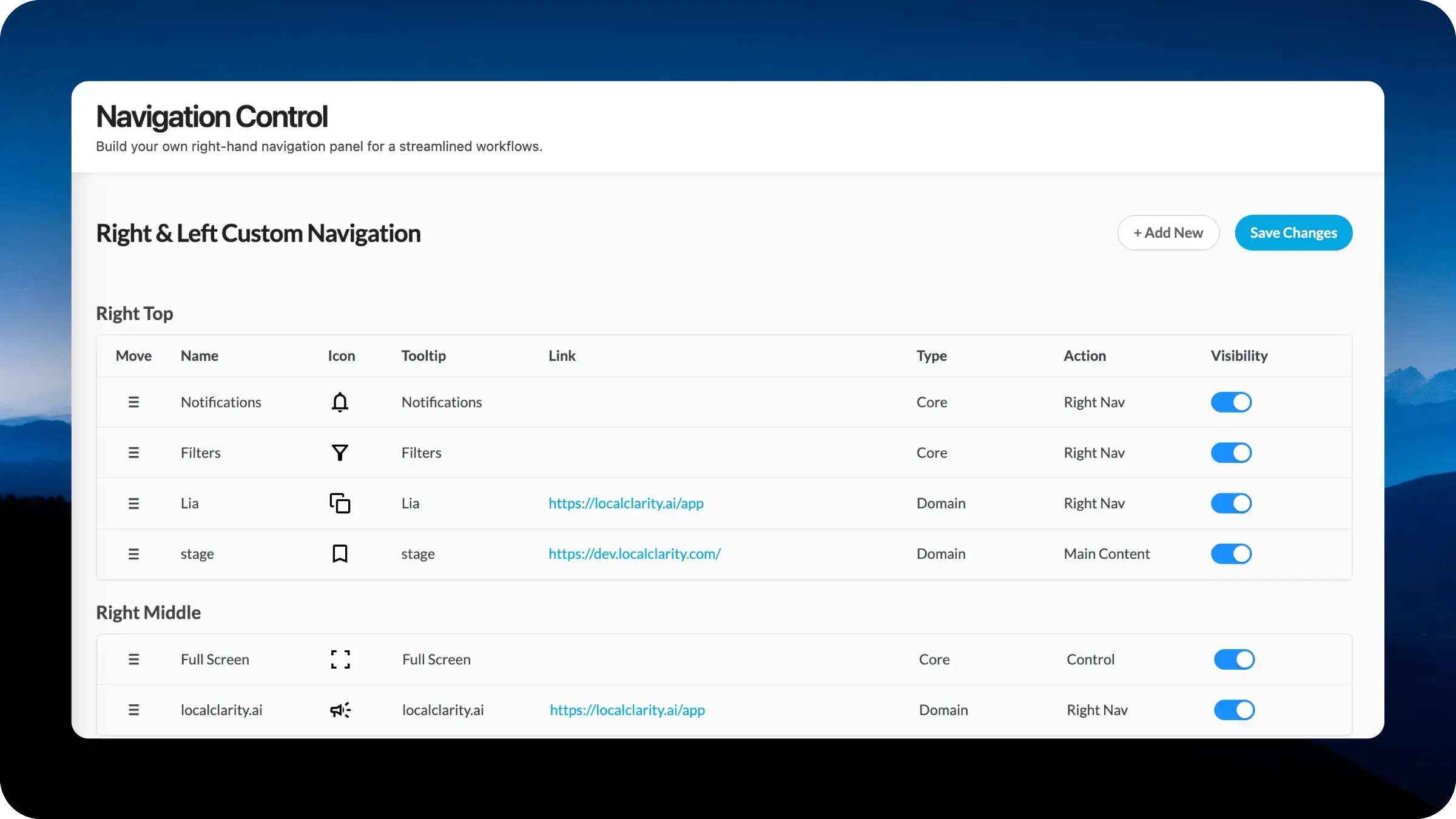
Navigation Control gives each brand more ownership over the new right-hand navigation panel in LocalClarity. Instead of relying on a single default right-nav structure, your team can decide which tools, resources, and shortcuts belong in that space. Build a cleaner experience for new users, keep power-user workflows close at hand, and connect internal resources directly into the right rail. The result is a right-side navigation experience that reflects how your organization actually works.
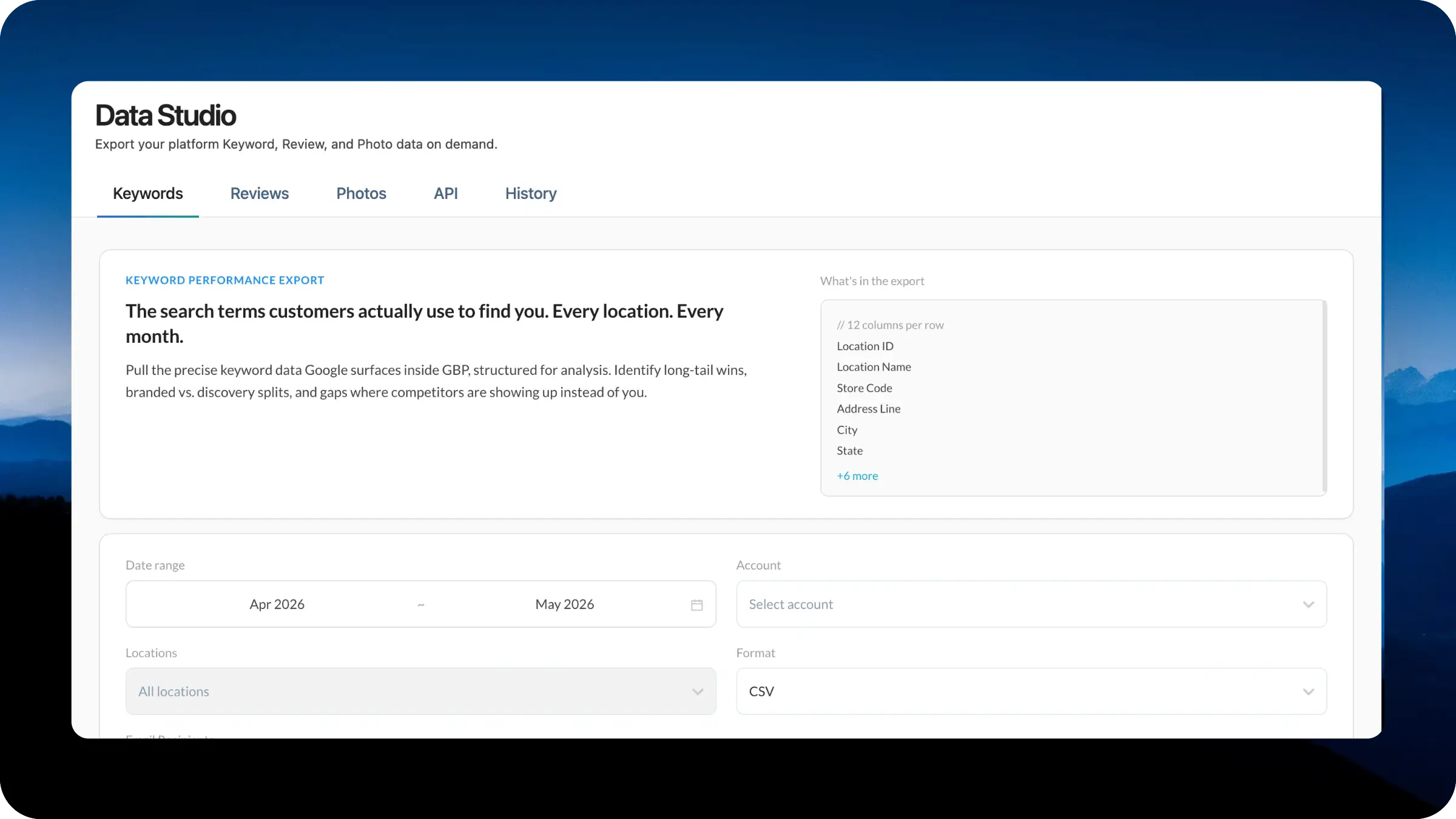
Data Studio gives your team a central place to turn your data into usable business inputs. Whether you are building dashboards, auditing performance, powering AI workflows, or running deeper location-level analysis, the new workspace makes exports, API access, and download history easier to manage from one dedicated section.
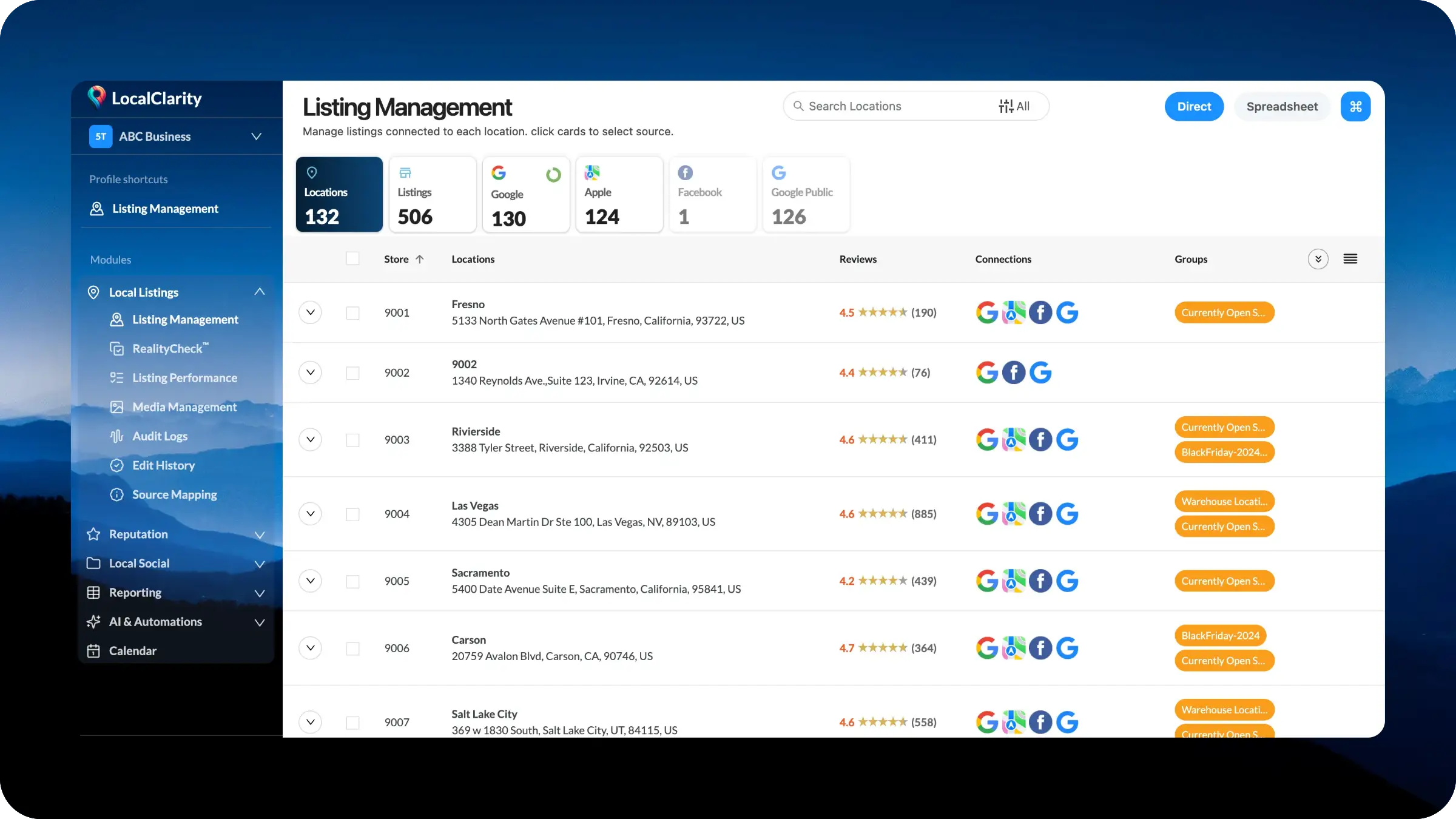
Listing Management is moving into a dedicated Local Listings module with cleaner left navigation and a more connected workflow. Core listing tasks, including location records, source data, RealityCheck™, performance, media, audit logs, edit history, source mapping, and spreadsheet management, will now sit together in one place. Teams can move from source overview to detailed management faster, with less searching and a clearer structure built for scale.
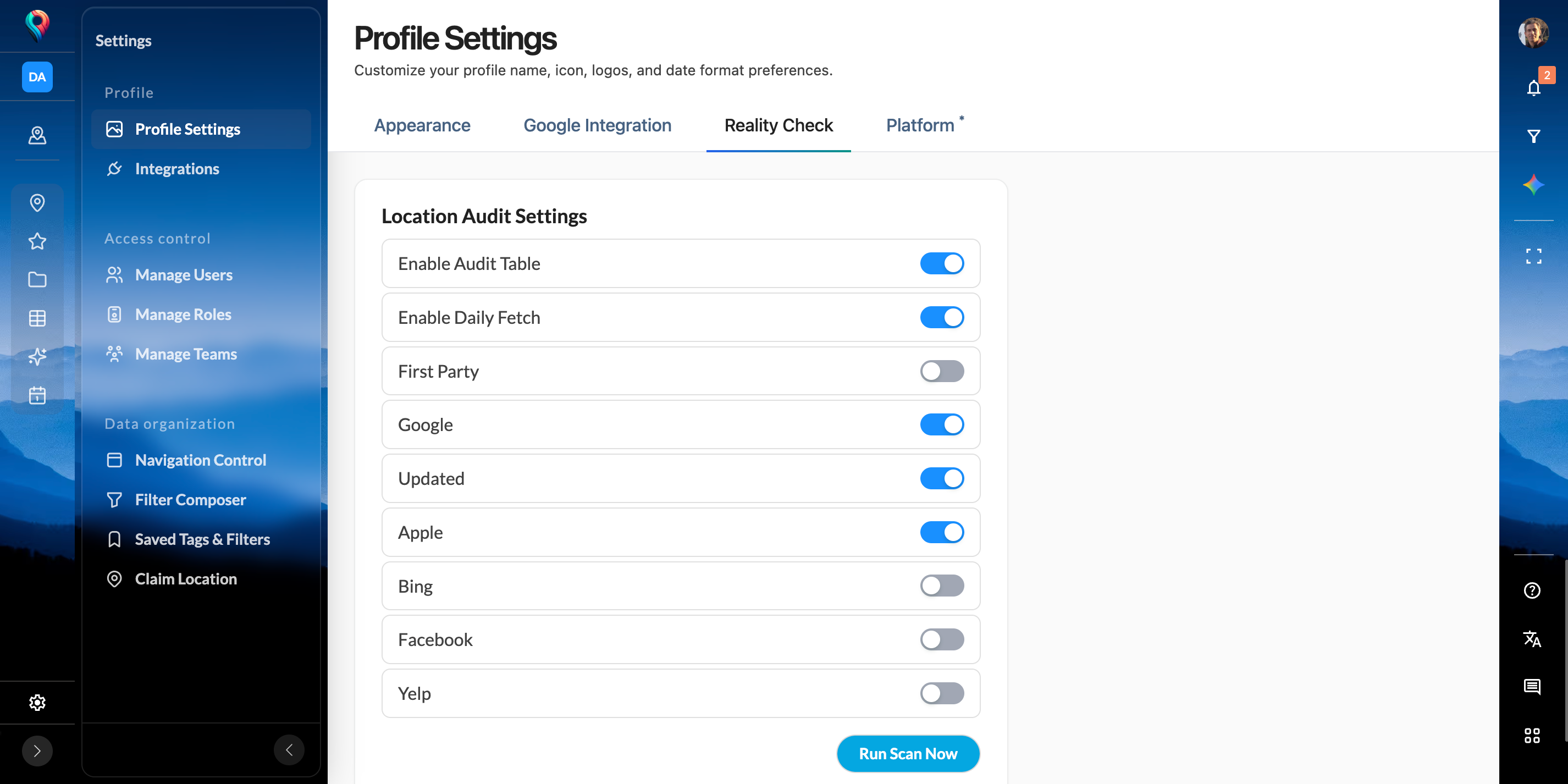
As part of the broader LocalClarity 2.0 platform update, operational controls such as RealityCheck™ are now surfaced more directly. Filters, custom links, Reporting, and module-specific settings have also moved into more logical locations, creating a cleaner navigation model and stronger foundation for future workflows across the platform.
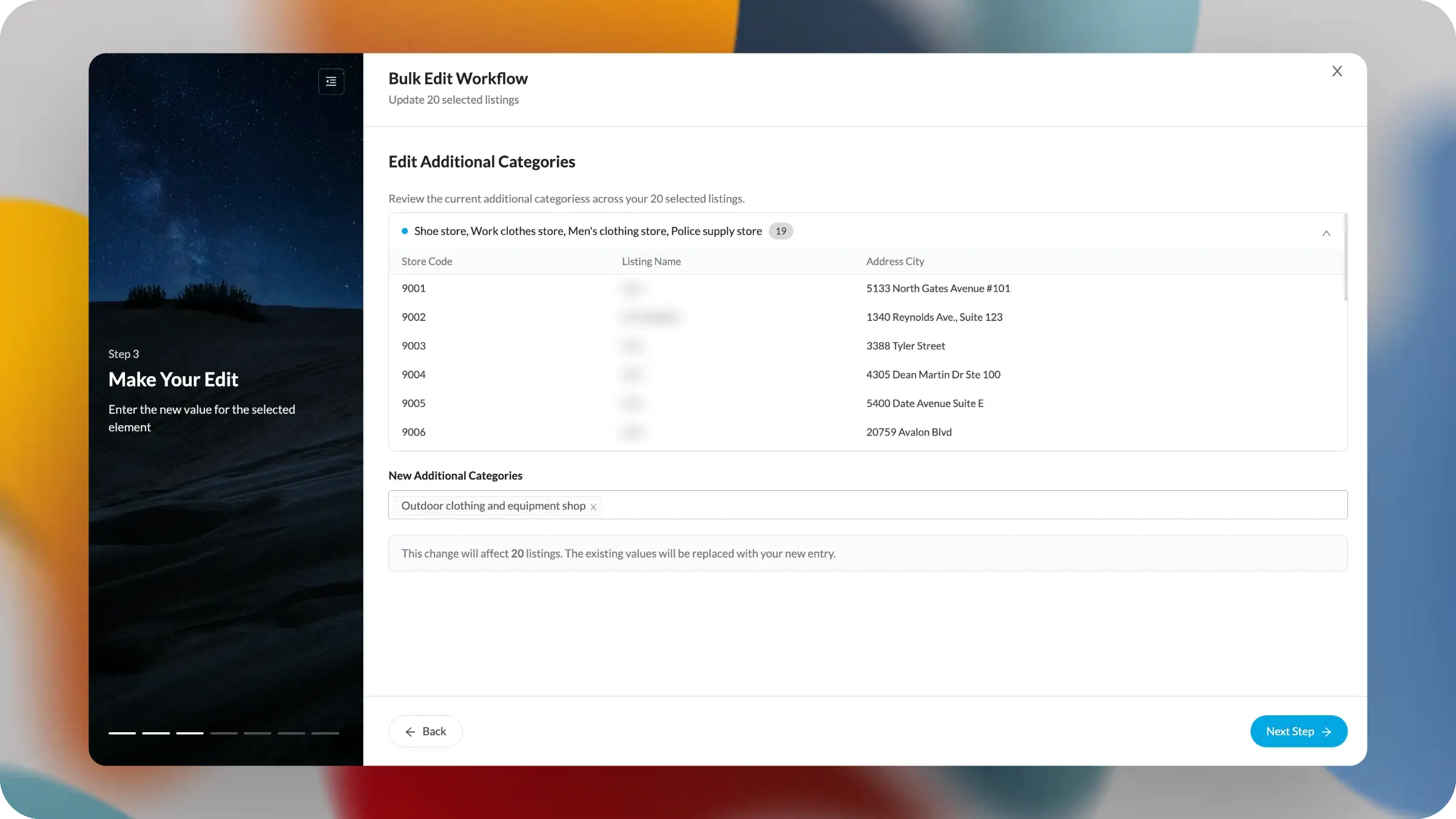
The new one-to-many edit experience is a major step forward for confident enterprise listing management. Large updates no longer have to feel like a leap of faith. Teams can now review current values, see affected locations, and confirm the exact replacement before moving ahead. It brings visibility, control, and confidence to changes even the largest updates.
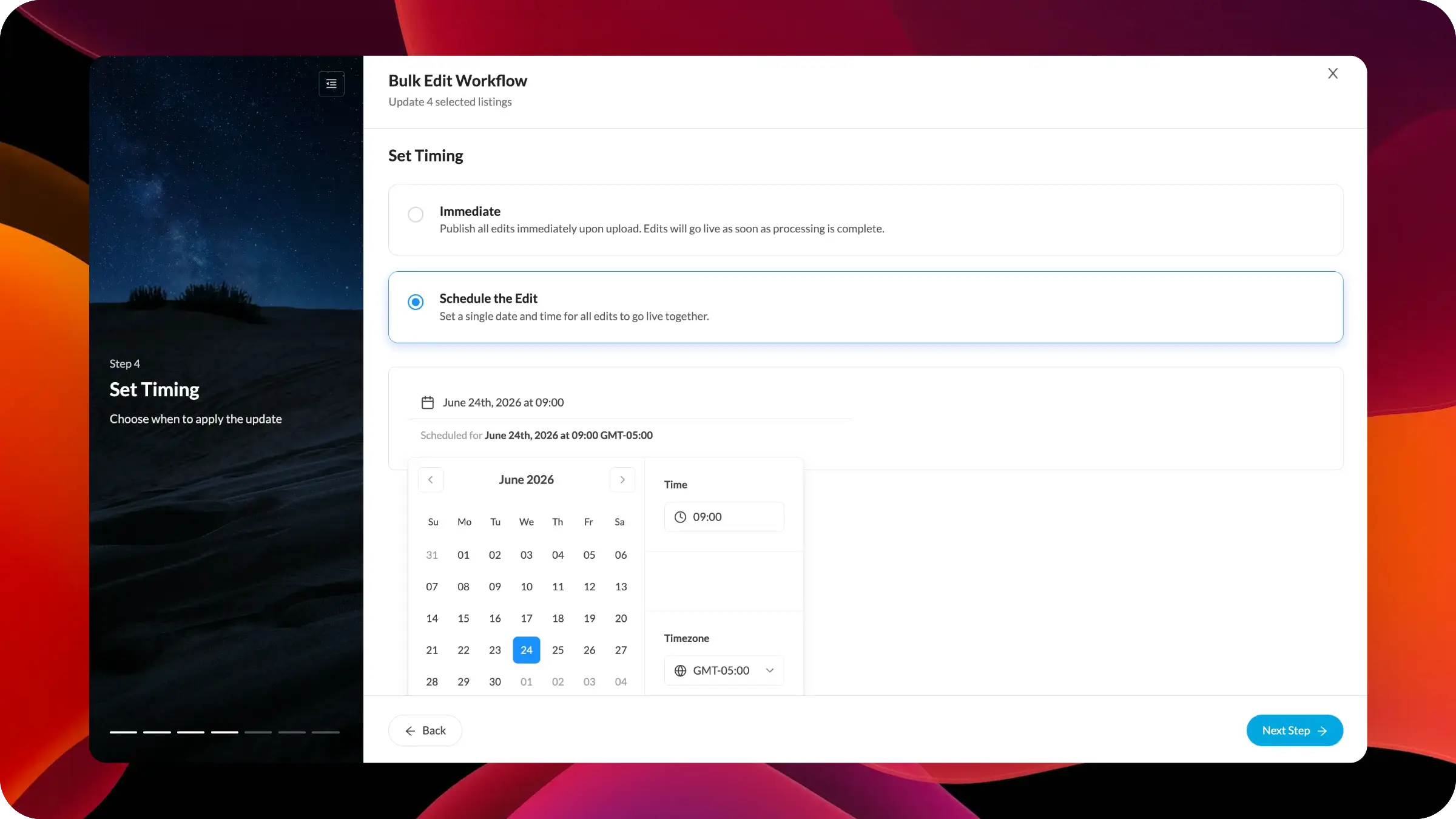
The new scheduling option gives you greater control over when bulk listing edits go live. Prepare updates in advance, review affected locations, and choose to publish immediately or at a specific future date and time. This makes it easier to coordinate holiday hours, campaign changes, temporary updates, and approved listing edits.